- 首页
- » 搜索
- » QL2017 发表的帖子
页次: 1
#3 Re: 全志 SOC » 全志T736成功运行windows11,显卡暂时无解 » 2026-08-10 16:31:12
#6 全志 SOC » F133 eMMC支持 » 2026-08-08 20:52:41
- QL2017
- 回复: 3
我看数据手册明确写了
2.2.3 SMHC
• Three SD/MMC host controller (SMHC) interfaces
• The SMHC0 controls the devices that comply with the protocol Secure Digital Memory (SD mem-version
3.0)
• The SMHC1 controls the device that complies with the protocol Secure Digital I/O (SDIO-version 3.0)
• The SMHC2 controls the device that complies with the protocol Multimedia Card (eMMC-version 5.0)
• Maximum performance:
SDR mode 150 MHz@1.8 V IO pad
DDR mode 50 MHz@1.8 V IO pad
DDR mode 50 MHz@3.3 V IO pad
• Supports 1-bit or 4-bit data width
• Supports block size of 1 to 65535 bytes
• Internal 1024-Bytes RX FIFO and 1024-Bytes TX FIFO
• Supports card insertion and removal interrupt
• Supports hardware CRC generation and error detection
• Supports descriptor-based internal DMA controller
是不是就要SDC2就行?但是SDC2的引脚只有D0-D3 CLK CMD,能直接接吗?好像还缺点什么吧
#7 Re: 全志 SOC » 全志A33 eMMC选型问题 » 2026-08-02 20:17:11
#9 全志 SOC » 全志F133 W25Q256无法烧录问题 » 2026-07-24 22:01:25
- QL2017
- 回复: 1
我原本是W25Q128,换成W25Q256后烧录程序(SD量产卡)能检测出来是W25Q256(SF: Detected w25q256 with page size 256 Bytes, erase size 64 KiB, total 32 MiB ),随后连擦除阶段都没进入,最后直接抛出错误:
sunxi sprite error : buffer is smaller than data size
sunxi sprite error : read mbr failed
sunxi sprite error : fetch mbr error
sprite_test - do a sprite test
不知道问题出在哪,用LiveSuit烧录直接提示timeout,这个固件用W25Q128的时候可以烧录,我现在一点头绪没有,希望大佬解答!以下是完整Log:
[45]HELLO! BOOT0 is starting!
[48]BOOT0 commit : 88480af
[50]set pll start
[52]periph0 has been enabled
[55]set pll end
[56][pmu]: bus read error
[59]board init ok
[61]ZQ value = 0x2e
[63]get_pmu_exist() = -1
[65]ddr_efuse_type: 0xa
[67]trefi:7.8ms
[69][AUTO DEBUG] single rank and full DQ!
[73]ddr_efuse_type: 0xa
[75]trefi:7.8ms
[77][AUTO DEBUG] rank 0 row = 13
[80][AUTO DEBUG] rank 0 bank = 4
[84][AUTO DEBUG] rank 0 page size = 2 KB
[87]DRAM BOOT DRIVE INFO: V0.33
[90]DRAM CLK = 528 MHz
[92]DRAM Type = 2 (2:DDR2,3:DDR3)
[96]DRAMC read ODT off.
[98]DRAM ODT off.
[100]ddr_efuse_type: 0xa
[102]DRAM SIZE =64 M
[104]dram_tpr4:0x0
[106]PLL_DDR_CTRL_REG:0xf8002b00
[109]DRAM_CLK_REG:0xc0000000
[112][TIMING DEBUG] MR2= 0x0
[116]DRAM simple test OK.
[119]dram size =64
[120]card no is 0
[122]sdcard 0 line count 4
[125][mmc]: mmc driver ver 2021-04-2 16:45
[134][mmc]: Wrong media type 0x0
[137][mmc]: Try SD card 0
[162][mmc]: HSSDR52/SDR25 4 bit
[164][mmc]: 50000000 Hz
[167][mmc]: 3781 MB
[169][mmc]: SD/MMC 0 init OK!!!
[218]Loading boot-pkg Succeed(index=0).
[221]Entry_name = opensbi
[225]Entry_name = u-boot
[228]Entry_name = dtb
[231]mmc not para
[233]Jump to second Boot.
OpenSBI auto-t113-linux-V0.8-3-ge39e937
____ _____ ____ _____
/ __ \ / ____| _ \_ _|
| | | |_ __ ___ _ __ | (___ | |_) || |
| | | | '_ \ / _ \ '_ \ \___ \| _ < | |
| |__| | |_) | __/ | | |____) | |_) || |_
\____/| .__/ \___|_| |_|_____/|____/_____|
| |
|_|
Platform Name : T-HEAD Xuantie Platform
Platform HART Features : RV64ACDFIMSUVX
Platform Max HARTs : 1
Current Hart : 0
Firmware Base : 0x41fc0400
Firmware Size : 75 KB
Runtime SBI Version : 0.2
MIDELEG : 0x0000000000000222
MEDELEG : 0x000000000000b1ff
PMP0 : 0x0000000041fc0000-0x0000000041fdffff (A)
PMP1 : 0x0000000040000000-0x000000007fffffff (A,R,W,X)
PMP2 : 0x0000000080000000-0x00000000bfffffff (A,R,W,X)
PMP3 : 0x0000000000020000-0x0000000000027fff (A,_HHսс2018.07-ge987def5y
[00.318]DRAM: 64 MiB
[00.321]Relocation Offset is: 01ee9000
[00.325]secure enable bit: 0
[00.328]CPU=1008 MHz,PLL6=600 Mhz,AHB=200 Mhz, APB1=100Mhz MBus=300Mhz
sunxi flash map init
SPI ALL: ready
[00.338]flash init start
[00.340]workmode = 17,storage type = 1
try card 2
set card number 2
get card number 2
[00.348][mmc]: mmc driver ver uboot2018:2021-12-20 13:35:00
[00.354][mmc]: get sdc_type fail and use default host:tm4.
[00.360][mmc]: Is not Boot mode!
[00.363][mmc]: SUNXI SDMMC Controller Version:0x50310
[00.374][mmc]: Try SD card 2
[00.379][mmc]: mmc 2 cmd timeout 100 status 100
[00.383][mmc]: smc 2 err, cmd 8, RTO
[00.387][mmc]: mmc 2 close bus gating and reset
[00.392][mmc]: mmc 2 cmd timeout 100 status 100
[00.396][mmc]: smc 2 err, cmd 55, RTO
[00.399][mmc]: mmc 2 close bus gating and reset
[00.404][mmc]: Try MMC card 2
[00.412][mmc]: mmc 2 cmd timeout 100 status 100
[00.417][mmc]: smc 2 err, cmd 1, RTO
[00.420][mmc]: mmc 2 close bus gating and reset
[00.424][mmc]: Card did not respond to voltage select!
[00.429][mmc]: SD/MMC 2 init error!
[00.434][mmc]: mmc init product failed
MMC init failed
try emmc fail
[00.441]sunxi-spinand: AW SPINand MTD Layer Version: 1.8 20220106
[00.447]sunxi-spinand-phy: AW SPINand Phy Layer Version: 1.11 20211217
[00.455]sunxi-spinand-phy: request spi0 gpio ok
[00.459]sunxi-spinand-phy: request general tx dma channel ok!
[00.465]sunxi-spinand-phy: request general rx dma channel ok!
[00.470]sunxi-spinand-phy: set spic0 clk to 20 Mhz
[00.475]sunxi-spinand-phy: init spic0 clk ok
[01.479]sunxi-spinand-phy: read id failed : -110
try nand fail
[01.487]sunxi_upper_lock, invalid address!
[01.496]spi sunxi_slave->max_hz:100000000
[02.482]Sample mode:1 start:0 end:53 right_sample_delay:0x1a
SF: Detected w25q256 with page size 256 Bytes, erase size 64 KiB, total 32 MiB
[02.759][mmc]: mmc driver ver uboot2018:2021-12-20 13:35:00
[02.765][mmc]: get sdc_type fail and use default host:tm1.
[02.771][mmc]: can't find node "mmc0",will add new node
[02.776][mmc]: fdt err returned <no error>
[02.779][mmc]: Using default timing para
[02.783][mmc]: SUNXI SDMMC Controller Version:0x50310
[02.815][mmc]: card_caps:0x3000000a
[02.818][mmc]: host_caps:0x3000003f
[02.824]line:703 init_clocks
[02.827]init_clocks:finish
[02.829]drv_disp_init
[02.838]get flash lcd idx 0
[02.842]HDMI 2.0 driver init start!
[02.846]drv_disp_init finish
[02.849]boot_gui_init:start
[02.852]set disp.dev2_output_type fail. using defval=0
[02.856]lcd_panel_fun[0].cfg_open_flow is NULL
[02.861]lcd_panel_fun[0].cfg_panel_info is NULL
[02.865]disp 0, clk: pll(360000000),clk(360000000),dclk(30000000) dsi_rate(1500)
clk real:pll(360000000),clk(360000000),dclk(90000000) dsi_rate(150000000)
[02.880]LCD open finish
[02.882]switch device: sel=0, type=1, mode=4, format=0, bits=0, eotf=4, cs=260
[02.889]set disp.fb0_rot_used fail. using defval=0
[02.893]set disp.fb0_rot_degree fail. using defval=0
[02.899]boot_gui_init:finish
[02.902]Loading Environment from SUNXI_FLASH... OK
[02.906]try to burn key
[02.908]out of usb burn from boot: not need burn key
Hit any key to stop autoboot: 0
sunxi work mode=0x11
run card sprite
[02.920]try sprite_led_gpio config
[02.923]sprite_led_gpio start
[02.927]sunxi sprite begin
firmware name <NULL>
img start = 0x81f8
try to read mmc start 33272
read mmc ok
[02.939]firmware probe ok
[02.942]fetch download map
DOWNLOAD MAP DUMP*
total download part 5
download part[0] name :boot-resource
download part[0] download file :BOOT-RESOURCE_FE
download part[0] verify file :VBOOT-RESOURCE_F
download part[0] lenlo :0x1f8
download part[0] addrlo :0x8000
download part[0] encrypt :0x0
download part[0] verify :0x1
download part[1] name :env
download part[1] download file :ENV_FEX000000000
download part[1] verify file :VENV_FEX00000000
download part[1] lenlo :0x1f8
download part[1] addrlo :0x81f8
download part[1] encrypt :0x0
download part[1] verify :0x1
download part[2] name :env-redund
download part[2] download file :ENV_FEX000000000
download part[2] verify file :VENV_FEX00000000
download part[2] lenlo :0x1f8
download part[2] addrlo :0x83f0
download part[2] encrypt :0x0
download part[2] verify :0x1
download part[3] name :boot
download part[3] download file :BOOT_FEX00000000
download part[3] verify file :VBOOT_FEX0000000
download part[3] lenlo :0x5000
download part[3] addrlo :0x85e8
download part[3] encrypt :0x0
download part[3] verify :0x1
download part[4] name :rootfs
download part[4] download file :ROOTFS_FEX000000
download part[4] verify file :VROOTFS_FEX00000
download part[4] lenlo :0xbe00
download part[4] addrlo :0xd5e8
download part[4] encrypt :0x0
download part[4] verify :0x1
[03.080]fetch mbr
sunxi sprite error : buffer is smaller than data size
sunxi sprite error : read mbr failed
sunxi sprite error : fetch mbr error
sprite_test - do a sprite test
Usage:
sprite_test NULL
=>
#10 全志 SOC » [求助]TinaLinux运行LVGL时调用G2D异常 » 2026-07-21 16:16:27
- QL2017
- 回复: 2
如题,我在kernelmenuconfig里选了硬件G2D,结果运行LVGL的DEMO时就疯狂闪烁(黑屏再重新显示下一帧),并且LOG一直输出:
[ 77.161294] [G2D] (g2d_wait_cmd_finish) line:532: G2D irq pending flag timeot
Error: sunxifb_g2d_blit_to_fb G2D_CMD_BITBLT_H failed: Operation not permitted
sunxifb_g2d_blit_to_fb src[phy=(nil) format=0 alpha=255 wh=[0 0] clip=[0 0 0 0]]
ION_IOC_SUNXI_FLUSH_RANGE failed[ 77.208522] L1 PageTable Invalid
[ 77.214706] 0x0 is not mapped!
[ 77.218104] G2D invalid address: 0x0, data:0x0, id:0x8
[ 77.311295] [G2D] (g2d_wait_cmd_finish) line:532: G2D irq pending flag timeot
Error: sunxifb_g2d_blit_to_fb G2D_CMD_BITBLT_H failed: Operation not permitted
sunxifb_g2d_blit_to_fb src[phy=(nil) format=0 alpha=255 wh=[0 0] clip=[0 0 0 0]]
ION_IOC_SUNXI_FLUSH_RANGE failed[ 77.363780] L1 PageTable Invalid
[ 77.369962] 0x0 is not mapped!
[ 77.373361] G2D invalid address: 0x0, data:0x0, id:0x8
[ 77.471297] [G2D] (g2d_wait_cmd_finish) line:532: G2D irq pending flag timeot
Error: sunxifb_g2d_blit_to_fb G2D_CMD_BITBLT_H failed: Operation not permitted
sunxifb_g2d_blit_to_fb src[phy=(nil) format=0 alpha=255 wh=[0 0] clip=[0 0 0 0]]
ION_IOC_SUNXI_FLUSH_RANGE failed[ 77.515938] L1 PageTable Invalid
[ 77.522120] 0x0 is not mapped!
[ 77.525519] G2D invalid address: 0x0, data:0x0, id:0x8
[ 77.621295] [G2D] (g2d_wait_cmd_finish) line:532: G2D irq pending flag timeot
Error: sunxifb_g2d_blit_to_fb G2D_CMD_BITBLT_H failed: Operation not permitted
sunxifb_g2d_blit_to_fb src[phy=(nil) format=0 alpha=255 wh=[0 0] clip=[0 0 0 0]]
ION_IOC_SUNXI_FLUSH_RANGE failed[ 77.655194] L1 PageTable Invalid
[ 77.661379] 0x0 is not mapped!
[ 77.664777] G2D invalid address: 0x0, data:0x0, id:0x8
[ 77.761295] [G2D] (g2d_wait_cmd_finish) line:532: G2D irq pending flag timeot
Error: sunxifb_g2d_blit_to_fb G2D_CMD_BITBLT_H failed: Operation not permitted
sunxifb_g2d_blit_to_fb src[phy=(nil) format=0 alpha=255 wh=[0 0] clip=[0 0 0 0]]
ION_IOC_SUNXI_FLUSH_RANGE failed[ 77.811614] L1 PageTable Invalid
[ 77.817797] 0x0 is not mapped!
[ 77.821201] G2D invalid address: 0x0, data:0x0, id:0x8
[ 77.921296] [G2D] (g2d_wait_cmd_finish) line:532: G2D irq pending flag timeot
Error: sunxifb_g2d_blit_to_fb G2D_CMD_BITBLT_H failed: Operation not permitted
sunxifb_g2d_blit_to_fb src[phy=(nil) format=0 alpha=255 wh=[0 0] clip=[0 0 0 0]]
ION_IOC_SUNXI_FLUSH_RANGE failed[ 77.968197] L1 PageTable Invalid
[ 77.974379] 0x0 is not mapped!
[ 77.977779] G2D invalid address: 0x0, data:0x0, id:0x8
[ 78.071292] [G2D] (g2d_wait_cmd_finish) line:532: G2D irq pending flag timeot
Error: sunxifb_g2d_blit_to_fb G2D_CMD_BITBLT_H failed: Operation not permitted
sunxifb_g2d_blit_to_fb src[phy=(nil) format=0 alpha=255 wh=[0 0] clip=[0 0 0 0]]
ION_IOC_SUNXI_FLUSH_RANGE failed[ 78.107400] L1 PageTable Invalid
[ 78.113582] 0x0 is not mapped!
[ 78.116982] G2D invalid address: 0x0, data:0x0, id:0x8
[ 78.211296] [G2D] (g2d_wait_cmd_finish) line:532: G2D irq pending flag timeot
Error: sunxifb_g2d_blit_to_fb G2D_CMD_BITBLT_H failed: Operation not permitted
sunxifb_g2d_blit_to_fb src[phy=(nil) format=0 alpha=255 wh=[0 0] clip=[0 0 0 0]]
ION_IOC_SUNXI_FLUSH_RANGE failed[ 78.246511] L1 PageTable Invalid
[ 78.252691] 0x0 is not mapped!
[ 78.256090] G2D invalid address: 0x0, data:0x0, id:0x8
[ 78.351295] [G2D] (g2d_wait_cmd_finish) line:532: G2D irq pending flag timeot
Error: sunxifb_g2d_blit_to_fb G2D_CMD_BITBLT_H failed: Operation not permitted
sunxifb_g2d_blit_to_fb src[phy=(nil) format=0 alpha=255 wh=[0 0] clip=[0 0 0 0]]
ION_IOC_SUNXI_FLUSH_RANGE failed[ 78.385612] L1 PageTable Invalid
[ 78.391795] 0x0 is not mapped!
[ 78.395194] G2D invalid address: 0x0, data:0x0, id:0x8
[ 78.491298] [G2D] (g2d_wait_cmd_finish) line:532: G2D irq pending flag timeot
Error: sunxifb_g2d_blit_to_fb G2D_CMD_BITBLT_H failed: Operation not permitted
sunxifb_g2d_blit_to_fb src[phy=(nil) format=0 alpha=255 wh=[0 0] clip=[0 0 0 0]]
ION_IOC_SUNXI_FLUSH_RANGE failed[ 78.524778] L1 PageTable Invalid
[ 78.530961] 0x0 is not mapped!
[ 78.534359] G2D invalid address: 0x0, data:0x0, id:0x8
[ 78.631293] [G2D] (g2d_wait_cmd_finish) line:532: G2D irq pending flag timeot
Error: sunxifb_g2d_blit_to_fb G2D_CMD_BITBLT_H failed: Operation not permitted
sunxifb_g2d_blit_to_fb src[phy=(nil) format=0 alpha=255 wh=[0 0] clip=[0 0 0 0]]
求助大佬们!!!!!!!!!!!!!!
#12 Re: 全志 SOC » 求助大佬帮看一下lcd hv初始化屏幕st7701s驱动代码有没有问题 » 2026-07-15 15:09:30
allenL 说:
和屏幕卖家等待代码序列对上就好了
#16 全志 SOC » 全志DDR多层走线问题 » 2026-06-11 10:05:20
#17 Re: 站务公告/网站建设 » 有疑似AI机器人生成垃圾 » 2026-06-10 18:05:09
#18 Re: 全志 SOC » [求助]全志Tinalinux屏幕驱动不调用问题 » 2026-06-01 12:24:20
jkl 说:
这是全志针对uboot到内核显示的一个平滑过渡流程,避免闪屏黑屏。
您好,我确实是这样想的,但是我感觉cboot后menuconfig可能不是针对当前uboot的,我关了sunxi-disp2(可能打错了) support之后并且uboot-borad.dts里的disp和lcd都设为0(关闭)了,启动时依然有LCD open finish,于是我直接修改sun20iw1p1_defconfig,确实奏效,但是启动的时候直接卡死了,日志:
0.257825] [DISP] Fb_copy_boot_fb,line:1445:
[ 0.257830] no boot_fb0
[ 0.258392] disp_al_manager_apply ouput_type:0
[ 0.258812] [DISP] lcd_clk_config,line:774:
[ 0.258826] disp 0, clk: pll(504000000),clk(504000000),dclk(63000000) dsi_rate(63000000)
[ 0.258826] clk real:pll(504000000),clk(504000000),dclk(126000000) dsi_rate(150000000)
[ 0.258861] [DISP] disp_sys_pwm_config,line:509:
[ 0.258864] disp_sys_pwm_Config, handle is NULL!
[ 0.258873] [DISP] disp_sys_pwm_set_polarity,line:528:
[ 0.258876] disp_sys_pwm_Set_Polarity, handle is NULL!
[ 0.267913] [DISP]disp_module_init finish
[ 0.268876] sunxi_sid_init()783 - insmod ok
[ 0.269770] pwm-regulator: supplied by regulator-dummy
[ 0.271667] sun8iw20-pinctrl 2000000.pinctrl: 2000000.pinctrl supply vcc-pe not found, using dummy regulator
[ 0.272159] uart uart0: uart0 supply uart not found, using dummy regulator
[ 0.272607] uart0: ttyS0 at MMIO 0x2500000 (irq = 18, base_baud = 1500000) is a SUNXI
[ 0.272637] sw_console_setup()1807 - console setup baud 115200 parity n bits 8, flow n
[ 1.706232] printk: console [ttyS0] enabled
[ 1.728335] sun8iw20-pinctrl 2000000.pinctrl: 2000000.pinctrl supply vcc-pg not found, using dummy regulator
[ 1.747928] uart uart1: uart1 supply uart not found, using dummy regulator
[ 1.755976] uart1: ttyS1 at MMIO 0x2500400 (irq = 19, base_baud = 1500000) is a SUNXI
[ 1.788691] misc dump reg init
[ 1.793146] sunxi-rfkill soc@3000000:rfkill@0: module version: v1.0.9
[ 1.807441] sunxi-rfkill soc@3000000:rfkill@0: get gpio chip_en failed
[ 1.814725] sunxi-rfkill soc@3000000:rfkill@0: get gpio power_en failed
[ 1.837427] sunxi-rfkill soc@3000000:rfkill@0: wlan_busnum (1)
[ 1.843930] sunxi-rfkill soc@3000000:rfkill@0: Missing wlan_power.
[ 1.867455] sunxi-rfkill soc@3000000:rfkill@0: wlan_regon gpio=137 assert=1
[ 1.875289] sunxi-rfkill soc@3000000:rfkill@0: wlan_hostwake gpio=202 assert=1
[ 1.897461] sunxi-rfkill soc@3000000:rfkill@0: wakeup source is enabled
[ 1.917500] sunxi-rfkill soc@3000000:rfkill@0: Missing bt_power.
[ 1.924244] sunxi-rfkill soc@3000000:rfkill@0: bt_rst gpio=133 assert=0
[ 1.948147] [ADDR_MGT] addr_mgt_probe: module version: v1.0.11
[ 1.955842] [ADDR_MGT] addr_mgt_probe: success.
[ 1.968714] spi-nor spi0.0: w25q128 (16384 Kbytes)
[ 1.989470] 7 sunxipart partitions found on MTD device spi0.0
[ 1.995872] Creating 7 MTD partitions on "spi0.0":
[ 2.017433] 0x000000000000-0x000000180000 : "uboot"
这里就结束了,但是以前我开发的时候uboot也提示LCD open finish并且选择了和内核不符的驱动,内核阶段依然能启动,我也不知道为什么
#21 全志 SOC » [求助]全志Tinalinux屏幕驱动不调用问题 » 2026-05-30 11:19:42
- QL2017
- 回复: 6
需求/疑问:为什么内核启动时没有调用屏幕的init
我的平台是F133,我在内核屏幕驱动里基于ST7701S驱动改动初始化阵列实现适配我的屏幕,我的Uboot也是这样做的,我两份驱动仅仅修改了初始化阵列,编译也能通过,但是在init那里我加了log输出,并区分出uboot和kernel,然后上电时可以看到uboot输出的log,但是到内核就没有log输出,但是能看到屏幕的dclk和设备树一样,所以因该不是设备树问题?我内核和uboot用的是同一份设备树,完整log我感觉没必要放了,毕竟我的疑问就是为什么内核启动时没有调用屏幕的init,我以前用这个平台搭配这个屏幕可以点亮,但是时间可能有点长,现在操作不怎么熟练,清各位大佬帮我想想办法,谢谢!
#22 全志 SOC » F133-A Uboot启动失败 » 2026-05-23 11:58:24
- QL2017
- 回复: 0
完整启动Log:
[34]HELLO! BOOT0 is starting!
[37]BOOT0 commit : 88480af
[40]set pll start
[42]periph0 has been enabled
[44]set pll end
[46][pmu]: bus read error
[48]board init ok
[50]ZQ value = 0x2e
[52]get_pmu_exist() = -1
[54]DRAM BOOT DRIVE INFO: V0.33
[57]DRAM CLK = 528 MHz
[59]DRAM Type = 2 (2:DDR2,3:DDR3)
[62]DRAMC read ODT off.
[65]DRAM ODT off.
[67]ddr_efuse_type: 0xa
[69]DRAM SIZE =64 M
[71]dram_tpr4:0x0
[73]PLL_DDR_CTRL_REG:0xf8002b00
[76]DRAM_CLK_REG:0xc0000000
[78][TIMING DEBUG] MR2= 0x0
[83]DRAM simple test OK.
[85]dram size =64
[87]spinor id is: ef 40 18, read cmd: 0b
[90]Succeed in reading toc file head.
[94]The size of toc is 100000.
[265]Entry_name = opensbi
[268]Entry_name = u-boot
[272]Entry_name = dtb
[275]Jump to second Boot.
OpenSBI auto-t113-linux-V0.8-3-ge39e937
____ _____ ____ _____
/ __ \ / ____| _ \_ _|
| | | |_ __ ___ _ __ | (___ | |_) || |
| | | | '_ \ / _ \ '_ \ \___ \| _ < | |
| |__| | |_) | __/ | | |____) | |_) || |_
\____/| .__/ \___|_| |_|_____/|____/_____|
| |
|_|
Platform Name : T-HEAD Xuantie Platform
Platform HART Features : RV64ACDFIMSUVX
Platform Max HARTs : 1
Current Hart : 0
Firmware Base : 0x41fc0400
Firmware Size : 75 KB
Runtime SBI Version : 0.2
MIDELEG : 0x0000000000000222
MEDELEG : 0x000000000000b1ff
PMP0 : 0x0000000041fc0000-0x0000000041fdffff (A)
PMP1 : 0x0000000040000000-0x000000007fffffff (A,R,W,X)
PMP2 : 0x0000000080000000-0x00000000bfffffff (A,R,W,X)
PMP3 : 0x0000000000020000-0x0000000000027fff (A,?
U-Boot 2018.07-ge987def5-dirty (May 23 2026 - 09:41:24 +0800) Allwinner Technology
[00.360]DRAM: 64 MiB
[00.362]Relocation Offset is: 01ee8000
[00.367]secure enable bit: 0
[00.369]CPU=1008 MHz,PLL6=600 Mhz,AHB=200 Mhz, APB1=100Mhz MBus=300Mhz
sunxi flash map init
SPI ALL: ready
[00.380]flash init start
[00.382]workmode = 0,storage type = 3
[00.389]sunxi_upper_lock, invalid address!
[00.392]spi sample_mode:1 sample_delay:1a
[00.397]spi sunxi_slave->max_hz:100000000
SF: Detected w25q128 with page size 256 Bytes, erase size 64 KiB, total 16 MiB
[00.409]sunxi flash init ok
[00.411]line:703 init_clocks
[00.415]drv_disp_init
[00.426]drv_disp_init finish
[00.430]Loading Environment from SUNXI_FLASH... OK
[00.443]boot_gui_init:start
[00.446]set disp.dev2_output_type fail. using defval=0
不知道哪里的问题,是屏幕驱动的问题吗
#23 Re: 全志 SOC » [求助] F133配置屏幕驱动就离奇启动失败 » 2026-05-22 21:40:39
#24 全志 SOC » [求助] F133配置屏幕驱动就离奇启动失败 » 2026-05-22 21:35:03
- QL2017
- 回复: 1
芯片F133-A,自己做的板子,W25Q128FLASH,在uboot的配置里给CONFIG_DISP2_SUNXI=y注释后可以正常启动,但是此时内核配置好HX8394D的驱动再开机3秒左右就卡死了,不知道为什么,以下是完整Log,求助大佬:
[34]HELLO! BOOT0 is starting!
[37]BOOT0 commit : 88480af
[40]set pll start
[42]periph0 has been enabled
[44]set pll end
[46][pmu]: bus read error
[48]board init ok
[50]ZQ value = 0x2e
[52]get_pmu_exist() = -1
[54]DRAM BOOT DRIVE INFO: V0.33
[57]DRAM CLK = 528 MHz
[59]DRAM Type = 2 (2:DDR2,3:DDR3)
[62]DRAMC read ODT off.
[65]DRAM ODT off.
[67]ddr_efuse_type: 0xa
[69]DRAM SIZE =64 M
[71]dram_tpr4:0x0
[73]PLL_DDR_CTRL_REG:0xf8002b00
[76]DRAM_CLK_REG:0xc0000000
[78][TIMING DEBUG] MR2= 0x0
[83]DRAM simple test OK.
[85]dram size =64
[87]spinor id is: ef 40 18, read cmd: 0b
[90]Succeed in reading toc file head.
[94]The size of toc is c0000.
[223]Entry_name = opensbi
[226]Entry_name = u-boot
[229]Entry_name = dtb
[232]Jump to second Boot.
OpenSBI auto-t113-linux-V0.8-3-ge39e937
____ _____ ____ _____
/ __ \ / ____| _ \_ _|
| | | |_ __ ___ _ __ | (___ | |_) || |
| | | | '_ \ / _ \ '_ \ \___ \| _ < | |
| |__| | |_) | __/ | | |____) | |_) || |_
\____/| .__/ \___|_| |_|_____/|____/_____|
| |
|_|
Platform Name : T-HEAD Xuantie Platform
Platform HART Features : RV64ACDFIMSUVX
Platform Max HARTs : 1
Current Hart : 0
Firmware Base : 0x41fc0400
Firmware Size : 75 KB
Runtime SBI Version : 0.2
MIDELEG : 0x0000000000000222
MEDELEG : 0x000000000000b1ff
PMP0 : 0x0000000041fc0000-0x0000000041fdffff (A)
PMP1 : 0x0000000040000000-0x000000007fffffff (A,R,W,X)
PMP2 : 0x0000000080000000-0x00000000bfffffff (A,R,W,X)
PMP3 : 0x0000000000020000-0x0000000000027fff (A,ÿ
U-Boot 2018.07-ge987def5-dirty (May 22 2026 - 20:42:41 +0800) Allwinner Technology
[00.318]DRAM: 64 MiB
[00.320]Relocation Offset is: 01f2f000
[00.324]secure enable bit: 0
[00.326]CPU=1008 MHz,PLL6=600 Mhz,AHB=200 Mhz, APB1=100Mhz MBus=300Mhz
sunxi flash map init
SPI ALL: ready
[00.337]flash init start
[00.339]workmode = 0,storage type = 3
[00.346]sunxi_upper_lock, invalid address!
[00.350]spi sample_mode:1 sample_delay:1a
[00.355]spi sunxi_slave->max_hz:100000000
SF: Detected w25q128 with page size 256 Bytes, erase size 64 KiB, total 16 MiB
[00.366]sunxi flash init ok
[00.369]line:703 init_clocks
[00.373]Loading Environment from SUNXI_FLASH... OK
[00.386]out of usb burn from boot: not need burn key
[00.390]get secure storage map err
partno erro : can't find partition private
root_partition is rootfs
set root to /dev/mtdblock5
[00.402]update part info
[00.404]update bootcmd
[00.406]change working_fdt 0x42aeeda0 to 0x42aceda0
disable nand error: FDT_ERR_NOTFOUND
disable nand error: FDT_ERR_NOTFOUND
No reserved memory region found in source FDT
[00.439]update dts
Hit any key to stop autoboot: 0
[01.592]no vendor_boot partition is found
Android's image name: d1s-nezha_nor
Detect comp none
[01.610]
Starting kernel ...
8 printk messages dropped
[ 0.000000] Initmem setup node 0 [mem 0x0000000040000000-0x0000000043ffffff]
[ 0.000000] On node 0 totalpages: 16384
[ 0.000000] DMA32 zone: 224 pages used for memmap
[ 0.000000] DMA32 zone: 0 pages reserved
[ 0.000000] DMA32 zone: 16384 pages, LIFO batch:3
[ 0.000000] elf_hwcap is 0x20112d
[ 0.000000] pcpu-alloc: s0 r0 d32768 u32768 alloc=1*32768
[ 0.000000] pcpu-alloc: [0] 0
[ 0.000000] Built 1 zonelists, mobility grouping on. Total pages: 16160
[ 0.000000] Kernel command line: earlyprintk=sunxi-uart,0x02500000 clk_ignore_unused initcall_debug=0 console=ttyS0,115200 loglevel=8 root=/dev/mtdblock5 rootfstype=squashfs init=/sbin/init partitions=boot-resource@mtdblock1:env@mtdblock2:env-redund@mtdblock3:boot@mtdblock4:rootfs@mtdblock5:UDISK@mtdblock6 cma=8M snum= mac_addr= wifi_mac= bt_mac= specialstr= gpt=1 androidboot.hardware=sun20iw1p1 boot_type=3 androidboot.boot_type=3 gpt=1 uboot_message=2018.07-ge987def5-dirty(05/22/2026-20:42:41) mbr_offset=1556480 androidboot.dramsize=64
[ 0.000000] Dentry cache hash table entries: 8192 (order: 4, 65536 bytes, linear)
[ 0.000000] Inode-cache hash table entries: 4096 (order: 3, 32768 bytes, linear)
[ 0.000000] Sorting __ex_table...
[ 0.000000] mem auto-init: stack:off, heap alloc:off, heap free:off
[ 0.000000] Memory: 48880K/65536K available (4372K kernel code, 403K rwdata, 1740K rodata, 164K init, 230K bss, 8464K reserved, 8192K cma-reserved)
[ 0.000000] SLUB: HWalign=64, Order=0-3, MinObjects=0, CPUs=1, Nodes=1
[ 0.000000] rcu: Preemptible hierarchical RCU implementation.
[ 0.000000] Tasks RCU enabled.
[ 0.000000] rcu: RCU calculated value of scheduler-enlistment delay is 10 jiffies.
[ 0.000000] NR_IRQS: 0, nr_irqs: 0, preallocated irqs: 0
[ 0.000000] plic: mapped 200 interrupts with 1 handlers for 2 contexts.
[ 0.000000] riscv_timer_init_dt: Registering clocksource cpuid [0] hartid [0]
[ 0.000000] clocksource: riscv_clocksource: mask: 0xffffffffffffffff max_cycles: 0x588fe9dc0, max_idle_ns: 440795202592 ns
[ 0.000006] sched_clock: 64 bits at 24MHz, resolution 41ns, wraps every 4398046511097ns
[ 0.000024] riscv_timer_clockevent depends on broadcast, but no broadcast function available
[ 0.000385] clocksource: timer: mask: 0xffffffff max_cycles: 0xffffffff, max_idle_ns: 79635851949 ns
[ 0.001016] Calibrating delay loop (skipped), value calculated using timer frequency.. 48.00 BogoMIPS (lpj=240000)
[ 0.001037] pid_max: default: 32768 minimum: 301
[ 0.001227] Mount-cache hash table entries: 512 (order: 0, 4096 bytes, linear)
[ 0.001245] Mountpoint-cache hash table entries: 512 (order: 0, 4096 bytes, linear)
[ 0.003302] ASID allocator initialised with 65536 entries
[ 0.003490] rcu: Hierarchical SRCU implementation.
[ 0.004222] devtmpfs: initialized
[ 0.020566] random: get_random_u32 called from bucket_table_alloc.isra.27+0xfe/0x120 with crng_init=0
[ 0.021571] clocksource: jiffies: mask: 0xffffffff max_cycles: 0xffffffff, max_idle_ns: 19112604462750000 ns
[ 0.021604] futex hash table entries: 256 (order: 0, 6144 bytes, linear)
[ 0.022173] pinctrl core: initialized pinctrl subsystem
[ 0.023711] NET: Registered protocol family 16
[ 0.025814] DMA: preallocated 256 KiB pool for atomic allocations
[ 0.026411] cpuidle: using governor menu
[ 0.074309] rtc_ccu: sunxi ccu init OK
[ 0.083333] clock: sunxi ccu init OK
[ 0.084996] clock: sunxi ccu init OK
[ 0.117109] sun6i-dma 3002000.dma-controller: sunxi dma probed
[ 0.119552] iommu: Default domain type: Translated
[ 0.119745] sunxi iommu: irq = 4
[ 0.121267] SCSI subsystem initialized
[ 0.121515] usbcore: registered new interface driver usbfs
[ 0.121611] usbcore: registered new interface driver hub
[ 0.121732] usbcore: registered new device driver usb
[ 0.121889] videodev: Linux video capture interface: v2.00
[ 0.122951] Advanced Linux Sound Architecture Driver Initialized.
[ 0.123687] Bluetooth: Core ver 2.22
[ 0.123781] NET: Registered protocol family 31
[ 0.123791] Bluetooth: HCI device and connection manager initialized
[ 0.123815] Bluetooth: HCI socket layer initialized
[ 0.123832] Bluetooth: L2CAP socket layer initialized
[ 0.123875] Bluetooth: SCO socket layer initialized
[ 0.124183] pwm module init!
[ 0.125902] g2d 5410000.g2d: Adding to iommu group 0
[ 0.126472] G2D: rcq version initialized.major:252
[ 0.127392] clocksource: Switched to clocksource riscv_clocksource
[ 0.141945] sun8iw20-pinctrl 2000000.pinctrl: initialized sunXi PIO driver
[ 0.145555] NET: Registered protocol family 2
[ 0.146474] tcp_listen_portaddr_hash hash table entries: 256 (order: 0, 4096 bytes, linear)
[ 0.146522] TCP established hash table entries: 512 (order: 0, 4096 bytes, linear)
[ 0.146542] TCP bind hash table entries: 512 (order: 0, 4096 bytes, linear)
[ 0.146557] TCP: Hash tables configured (established 512 bind 512)
[ 0.146725] UDP hash table entries: 256 (order: 1, 8192 bytes, linear)
[ 0.146773] UDP-Lite hash table entries: 256 (order: 1, 8192 bytes, linear)
[ 0.147065] NET: Registered protocol family 1
[ 0.148455] sun8iw20-pinctrl 2000000.pinctrl: 2000000.pinctrl supply vcc-pc not found, using dummy regulator
[ 0.149087] spi spi0: spi0 supply spi not found, using dummy regulator
[ 0.149405] sunxi_spi_resource_get()2438 - [spi0] SPI MASTER MODE
[ 0.149478] sunxi_spi_resource_get()2485 - sample_mode:1 sample_delay:26
[ 0.149605] sunxi_spi_clk_init()2527 - [spi0] mclk 80000000
[ 0.150488] sunxi_spi_probe()2978 - [spi0]: driver probe succeed, base ffffffd004058000, irq 31
[ 0.152804] workingset: timestamp_bits=62 max_order=14 bucket_order=0
[ 0.160437] squashfs: version 4.0 (2009/01/31) Phillip Lougher
[ 0.160702] ntfs: driver 2.1.32 [Flags: R/W].
[ 0.161064] jffs2: version 2.2. (NAND) (SUMMARY) © 2001-2006 Red Hat, Inc.
[ 0.180859] io scheduler mq-deadline registered
[ 0.180874] io scheduler kyber registered
[ 0.181842] [DISP]disp_module_init
[ 0.182483] disp 5000000.disp: Adding to iommu group 0
[ 0.224602] display_fb_request,fb_id:0
[ 0.257825] [DISP] Fb_copy_boot_fb,line:1445:
[ 0.257830] no boot_fb0
[ 0.258392] disp_al_manager_apply ouput_type:0
[ 0.258812] [DISP] lcd_clk_config,line:774:
[ 0.258826] disp 0, clk: pll(504000000),clk(504000000),dclk(63000000) dsi_rate(63000000)
[ 0.258826] clk real:pll(504000000),clk(504000000),dclk(126000000) dsi_rate(150000000)
[ 0.258861] [DISP] disp_sys_pwm_config,line:509:
[ 0.258864] disp_sys_pwm_Config, handle is NULL!
[ 0.258873] [DISP] disp_sys_pwm_set_polarity,line:528:
[ 0.258876] disp_sys_pwm_Set_Polarity, handle is NULL!
[ 0.267913] [DISP]disp_module_init finish
[ 0.268876] sunxi_sid_init()783 - insmod ok
[ 0.269770] pwm-regulator: supplied by regulator-dummy
[ 0.271667] sun8iw20-pinctrl 2000000.pinctrl: 2000000.pinctrl supply vcc-pe not found, using dummy regulator
[ 0.272159] uart uart0: uart0 supply uart not found, using dummy regulator
[ 0.272607] uart0: ttyS0 at MMIO 0x2500000 (irq = 18, base_baud = 1500000) is a SUNXI
[ 0.272637] sw_console_setup()1807 - console setup baud 115200 parity n bits 8, flow n
[ 1.706232] printk: console [ttyS0] enabled
[ 1.728335] sun8iw20-pinctrl 2000000.pinctrl: 2000000.pinctrl supply vcc-pg not found, using dummy regulator
[ 1.747928] uart uart1: uart1 supply uart not found, using dummy regulator
[ 1.755976] uart1: ttyS1 at MMIO 0x2500400 (irq = 19, base_baud = 1500000) is a SUNXI
[ 1.788691] misc dump reg init
[ 1.793146] sunxi-rfkill soc@3000000:rfkill@0: module version: v1.0.9
[ 1.807441] sunxi-rfkill soc@3000000:rfkill@0: get gpio chip_en failed
[ 1.814725] sunxi-rfkill soc@3000000:rfkill@0: get gpio power_en failed
[ 1.837427] sunxi-rfkill soc@3000000:rfkill@0: wlan_busnum (1)
[ 1.843930] sunxi-rfkill soc@3000000:rfkill@0: Missing wlan_power.
[ 1.867455] sunxi-rfkill soc@3000000:rfkill@0: wlan_regon gpio=137 assert=1
[ 1.875289] sunxi-rfkill soc@3000000:rfkill@0: wlan_hostwake gpio=202 assert=1
[ 1.897461] sunxi-rfkill soc@3000000:rfkill@0: wakeup source is enabled
[ 1.917500] sunxi-rfkill soc@3000000:rfkill@0: Missing bt_power.
[ 1.924244] sunxi-rfkill soc@3000000:rfkill@0: bt_rst gpio=133 assert=0
[ 1.948147] [ADDR_MGT] addr_mgt_probe: module version: v1.0.11
[ 1.955842] [ADDR_MGT] addr_mgt_probe: success.
[ 1.968714] spi-nor spi0.0: w25q128 (16384 Kbytes)
[ 1.989470] 7 sunxipart partitions found on MTD device spi0.0
[ 1.995872] Creating 7 MTD partitions on "spi0.0":
[ 2.017433] 0x000000000000-0x000000180000 : "uboot"
Log到此结束,目前我没有一点头绪,希望大佬能给点思路或解决方案,感激不尽!!!
#25 全志 SOC » A33启动后核心被关闭问题 » 2026-05-21 12:27:20
- QL2017
- 回复: 1
以下是log:[ 42.754523] init: command 'start' r=0
[ 42.804198] init: waitpid returned pid 224, status = 00000000
[ 42.810956] init: process 'bootanim', pid 224 exited
[ 42.824185] CPU Budget:update CPU 0 cpufreq max to 1200000 min to 120000
[ 42.832022] [dsm] store_scene: 0
[ 43.556674] [rfkill]: rfkill set power 1
[ 43.561097] gpio ap6xxx_bt_regon set val 0, act val 0
[ 43.781037] [rfkill]: rfkill set power 0
[ 43.785436] gpio ap6xxx_bt_regon set val 1, act val 1
[ 45.032760] CPU Budget:update CPU 0 cpufreq max to 1200000 min to 120000
[ 45.040359] [dsm] store_scene: 1
[ 45.043966] [dsm] continuous input event, no freq change
[ 46.321655] CPU2: shutdown
[ 46.324681] [hotplug]: cpu(0) try to kill cpu(2)
[ 46.330538] [hotplug]: cpu2 is killed! .
[ 46.554863] [rfkill]: rfkill set power 1
[ 46.559250] gpio ap6xxx_bt_regon set val 0, act val 0
[ 46.330954] CPU2: Booted secondary processor
[ 50.311527] CPU2: shutdown
[ 50.314537] [hotplug]: cpu(3) try to kill cpu(2)
[ 50.319724] [hotplug]: cpu2 is killed! .
[ 50.320776] CPU2: Booted secondary processor
[ 55.361212] CPU3: shutdown
[ 55.364257] [hotplug]: cpu(2) try to kill cpu(3)
[ 55.369428] [hotplug]: cpu3 is killed! .
[ 55.370744] CPU3: Booted secondary processor
[ 56.901479] CPU2: shutdown
[ 56.904504] [hotplug]: cpu(0) try to kill cpu(2)
[ 56.909907] [hotplug]: cpu2 is killed! .
[ 57.941949] CPU3: shutdown
[ 57.945043] [hotplug]: cpu(0) try to kill cpu(3)
[ 57.950422] [hotplug]: cpu3 is killed! .
[ 58.920288] init: waitpid returned pid 881, status = 0000ff00
[ 58.926792] init: process 'preinstall', pid 881 exited
[ 58.951870] CPU1: shutdown
[ 58.954965] [hotplug]: cpu(0) try to kill cpu(1)
[ 58.960370] [hotplug]: cpu1 is killed! .
好像是系统一启动就只剩下CPU0在工作,请问大佬怎么解决,板子是RERVISION的VSTAR,固件是A33_Vstar_Android_Debug.img
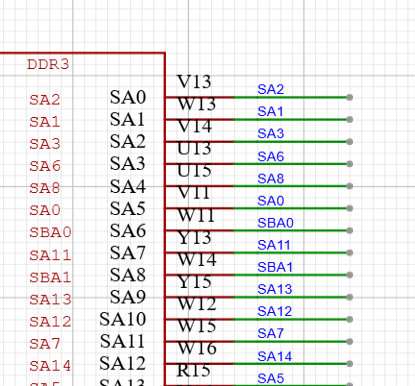
#27 全志 SOC » 全志D1-H DDR问题 » 2026-05-17 15:16:28

#29 工业芯 匠芯创 » [求助]USB副屏方案编译出错 » 2026-05-12 13:07:06
- QL2017
- 回复: 3
屏幕RGB480*272 触摸GT910 板子D133EBS立创衡山派 我是按照https://aicdoc.artinchip.com/topics/sdk/app/usb-display-config-lite.html的教程一步一步走的,但是一编译就出现 CC packages\artinchip\mpp\base\memory\mpp_mem.c
CC packages\artinchip\mpp\middle_media\base\stream\aic_stream.c
CC packages\artinchip\mpp\middle_media\audio_decoder\decoder\audio_packet_manager.c
CC packages\artinchip\mpp\middle_media\audio_decoder\decoder\audio_frame_manager.c
CC packages\artinchip\mpp\ge\cmdq_ops.c
CC packages\artinchip\thread_stack_trace\thread_stack_trace.c
LINK output\d13x_hspi100-nor_rt-thread_helloworld\images\d13x.elf
d:/hspi/fuping/luban-lite/toolchain/bin/../lib/gcc/riscv64-unknown-elf/10.2.0/../../../../riscv64-unknown-elf/bin/ld.exe: cannot find -lusbd_display_template_e907fdp
collect2.exe: error: ld returned 1 exit status
scons: *** [output\d13x_hspi100-nor_rt-thread_helloworld\images\d13x.elf] Error 1
scons: building terminated because of errors.
这样的报错怎么办,拉主线lubanlite sdk也一样的报错,求助
#30 Re: 全志 SOC » F133 FLASH容量问题 » 2026-05-08 21:21:38
[33]HELLO! BOOT0 is starting!
[35]BOOT0 commit : 88480af
[38]set pll start
[40]periph0 has been enabled
[43]set pll end
[44][pmu]: bus read error
[47]board init ok
[48]ZQ value = 0x2d
[50]get_pmu_exist() = -1
[53]ddr_efuse_type: 0xa
[55]trefi:7.8ms
[57][AUTO DEBUG] single rank and full DQ!
[61]ddr_efuse_type: 0xa
[63]trefi:7.8ms
[65][AUTO DEBUG] rank 0 row = 13
[68][AUTO DEBUG] rank 0 bank = 4
[71][AUTO DEBUG] rank 0 page size = 2 KB
[75]DRAM BOOT DRIVE INFO: V0.33
[78]DRAM CLK = 528 MHz
[80]DRAM Type = 2 (2:DDR2,3:DDR3)
[83]DRAMC read ODT off.
[86]DRAM ODT off.
[87]ddr_efuse_type: 0xa
[90]DRAM SIZE =64 M
[92]dram_tpr4:0x0
[94]PLL_DDR_CTRL_REG:0xf8002b00
[96]DRAM_CLK_REG:0xc0000000
[99][TIMING DEBUG] MR2= 0x0
[103]DRAM simple test OK.
[106]dram size =64
[108]card no is 0
[109]sdcard 0 line count 4
[112][mmc]: mmc driver ver 2021-04-2 16:45
[121][mmc]: Wrong media type 0x0
[124][mmc]: Try SD card 0
[134][mmc]: HSSDR52/SDR25 4 bit
[137][mmc]: 50000000 Hz
[139][mmc]: 30360 MB
[141][mmc]: SD/MMC 0 init OK!!!
[189]Loading boot-pkg Succeed(index=0).
[193]Entry_name = opensbi
[196]Entry_name = u-boot
[200]Entry_name = dtb
[203]mmc not para
[204]Jump to second Boot.

OpenSBI auto-t113-linux-V0.8-3-ge39e937
____ _____ ____ _____
/ __ \ / ____| _ \_ _|
| | | |_ __ ___ _ __ | (___ | |_) || |
| | | | '_ \ / _ \ '_ \ \___ \| _ < | |
| |__| | |_) | __/ | | |____) | |_) || |_
\____/| .__/ \___|_| |_|_____/|____/_____|
| |
|_|

Platform Name : T-HEAD Xuantie Platform
Platform HART Features : RV64ACDFIMSUVX
Platform Max HARTs : 1
Current Hart : 0
Firmware Base : 0x41fc0400
Firmware Size : 75 KB
Runtime SBI Version : 0.2

MIDELEG : 0x0000000000000222
MEDELEG : 0x000000000000b1ff
PMP0 : 0x0000000041fc0000-0x0000000041fdffff (A)
PMP1 : 0x0000000040000000-0x000000007fffffff (A,R,W,X)
PMP2 : 0x0000000080000000-0x00000000bfffffff (A,R,W,X)
PMP3 : 0x0000000000020000-0x0000000000027fff (A,_H¨H¨Ӓ½½с2018.07-ge987def5 (Nov 07 2022 - 03:11:27 +0000) Allwinner Technology

[00.289]DRAM: 64 MiB
[00.291]Relocation Offset is: 01eea000
[00.296]secure enable bit: 0
[00.299]CPU=1008 MHz,PLL6=600 Mhz,AHB=200 Mhz, APB1=100Mhz MBus=300Mhz
sunxi flash map init
SPI ALL: ready
[00.309]flash init start
[00.311]workmode = 17,storage type = 1
try card 2
set card number 2
get card number 2
[00.319][mmc]: mmc driver ver uboot2018:2021-12-20 13:35:00
[00.325][mmc]: get sdc_type fail and use default host:tm4.
[00.331][mmc]: Is not Boot mode!
[00.334][mmc]: SUNXI SDMMC Controller Version:0x50310
[00.345][mmc]: Try SD card 2
[00.350][mmc]: mmc 2 cmd timeout 100 status 100
[00.354][mmc]: smc 2 err, cmd 8, RTO
[00.358][mmc]: mmc 2 close bus gating and reset
[00.363][mmc]: mmc 2 cmd timeout 100 status 100
[00.367][mmc]: smc 2 err, cmd 55, RTO
[00.370][mmc]: mmc 2 close bus gating and reset
[00.374][mmc]: Try MMC card 2
[00.383][mmc]: mmc 2 cmd timeout 100 status 100
[00.387][mmc]: smc 2 err, cmd 1, RTO
[00.391][mmc]: mmc 2 close bus gating and reset
[00.395][mmc]: Card did not respond to voltage select!
[00.400][mmc]: SD/MMC 2 init error!
[00.405][mmc]: mmc init product failed
MMC init failed
try emmc fail
[00.412]sunxi-spinand: AW SPINand MTD Layer Version: 1.8 20220106
[00.418]sunxi-spinand-phy: AW SPINand Phy Layer Version: 1.11 20211217
[00.426]sunxi-spinand-phy: request spi0 gpio ok
[00.430]sunxi-spinand-phy: request general tx dma channel ok!
[00.436]sunxi-spinand-phy: request general rx dma channel ok!
[00.441]sunxi-spinand-phy: set spic0 clk to 20 Mhz
[00.446]sunxi-spinand-phy: init spic0 clk ok
[01.450]sunxi-spinand-phy: read id failed : -110
try nand fail
[01.458]sunxi_upper_lock, invalid address!
[01.467]spi sunxi_slave->max_hz:100000000
[02.450]Sample mode:1 start:0 end:51 right_sample_delay:0x19
SF: Detected w25q256 with page size 256 Bytes, erase size 64 KiB, total 32 MiB
[02.718][mmc]: mmc driver ver uboot2018:2021-12-20 13:35:00
[02.724][mmc]: get sdc_type fail and use default host:tm1.
[02.730][mmc]: can't find node "mmc0",will add new node
[02.735][mmc]: fdt err returned <no error>
[02.738][mmc]: Using default timing para
[02.742][mmc]: SUNXI SDMMC Controller Version:0x50310
[02.761][mmc]: card_caps:0x3000000a
[02.764][mmc]: host_caps:0x3000003f
[02.767]line:703 init_clocks
[02.770]init_clocks:finish
[02.773]drv_disp_init
[02.782]get flash lcd idx 0
request pwm success, pwm7:pwm7:0x2000c00.
[02.791]HDMI 2.0 driver init start!
[02.795]drv_disp_init finish
[02.798]boot_gui_init:start
[02.801]set disp.dev2_output_type fail. using defval=0
[02.806]disp 0, clk: pll(420000000),clk(420000000),dclk(70000000) dsi_rate(150000000)
clk real:pll(420000000),clk(420000000),dclk(105000000) dsi_rate(150000000)
[02.842]switch device: sel=0, type=1, mode=4, format=0, bits=0, eotf=4, cs=260
[02.849]set disp.fb0_rot_used fail. using defval=0
[03.015]set disp.fb0_rot_degree fail. using defval=0
[03.023]boot_gui_init:finish
[03.025]Loading Environment from SUNXI_FLASH... OK
[03.030]try to burn key
[03.032]out of usb burn from boot: not need burn key
Hit any key to stop autoboot: 0
sunxi work mode=0x11
run card sprite
[03.044]try sprite_led_gpio config
[03.047]sprite_led_gpio start
[03.050]sunxi sprite begin
firmware name <NULL>
img start = 0x120
try to read mmc start 288
read mmc ok
[03.062]firmware probe ok
[03.065]fetch download map
DOWNLOAD MAP DUMP*
total download part 5
[03.075]LCD open finish

download part[0] name :boot-resource
download part[0] download file :BOOT-RESOURCE_FE
download part[0] verify file :VBOOT-RESOURCE_F
download part[0] lenlo :0x100
download part[0] addrlo :0x20
download part[0] encrypt :0x0
download part[0] verify :0x1

download part[1] name :env
download part[1] download file :ENV_FEX000000000
download part[1] verify file :VENV_FEX00000000
download part[1] lenlo :0x100
download part[1] addrlo :0x120
download part[1] encrypt :0x0
download part[1] verify :0x1

download part[2] name :env-redund
download part[2] download file :ENV_FEX000000000
download part[2] verify file :VENV_FEX00000000
download part[2] lenlo :0x100
download part[2] addrlo :0x220
download part[2] encrypt :0x0
download part[2] verify :0x1

download part[3] name :boot
download part[3] download file :BOOT_FEX00000000
download part[3] verify file :VBOOT_FEX0000000
download part[3] lenlo :0x3c00
download part[3] addrlo :0x320
download part[3] encrypt :0x0
download part[3] verify :0x1

download part[4] name :rootfs
download part[4] download file :ROOTFS_NOR_FEX00
download part[4] verify file :VROOTFS_NOR_FEX0
download part[4] lenlo :0x3000
download part[4] addrlo :0x3f20
download part[4] encrypt :0x0
download part[4] verify :0x1

[03.205]fetch mbr
the 0 mbr table is ok
MBR DUMP****
total mbr part 6

part[0] name :boot-resource
part[0] classname :DISK
part[0] addrlo :0x20
part[0] lenlo :0x100
part[0] user_type :32768
part[0] keydata :0
part[0] ro :0

part[1] name :env
part[1] classname :DISK
part[1] addrlo :0x120
part[1] lenlo :0x100
part[1] user_type :32768
part[1] keydata :0
part[1] ro :0

part[2] name :env-redund
part[2] classname :DISK
part[2] addrlo :0x220
part[2] lenlo :0x100
part[2] user_type :32768
part[2] keydata :0
part[2] ro :0

part[3] name :boot
part[3] classname :DISK
part[3] addrlo :0x320
part[3] lenlo :0x3c00
part[3] user_type :32768
part[3] keydata :0
part[3] ro :0

part[4] name :rootfs
part[4] classname :DISK
part[4] addrlo :0x3f20
part[4] lenlo :0x3000
part[4] user_type :32768
part[4] keydata :0
part[4] ro :0

part[5] name :UDISK
part[5] classname :DISK
part[5] addrlo :0x6f20
part[5] lenlo :0x0
part[5] user_type :33024
part[5] keydata :0
part[5] ro :0

MBR DUMP****
total mbr part 6

part[0] name :boot-resource
part[0] classname :DISK
part[0] addrlo :0x20
part[0] lenlo :0x100
part[0] user_type :0x8000
part[0] keydata :0x0
part[0] ro :0x0

part[1] name :env
part[1] classname :DISK
part[1] addrlo :0x120
part[1] lenlo :0x100
part[1] user_type :0x8000
part[1] keydata :0x0
part[1] ro :0x0

part[2] name :env-redund
part[2] classname :DISK
part[2] addrlo :0x220
part[2] lenlo :0x100
part[2] user_type :0x8000
part[2] keydata :0x0
part[2] ro :0x0

part[3] name :boot
part[3] classname :DISK
part[3] addrlo :0x320
part[3] lenlo :0x3c00
part[3] user_type :0x8000
part[3] keydata :0x0
part[3] ro :0x0

part[4] name :rootfs
part[4] classname :DISK
part[4] addrlo :0x3f20
part[4] lenlo :0x3000
part[4] user_type :0x8000
part[4] keydata :0x0
part[4] ro :0x0

part[5] name :UDISK
part[5] classname :DISK
part[5] addrlo :0x6f20
part[5] lenlo :0x0
part[5] user_type :0x8100
part[5] keydata :0x0
part[5] ro :0x0

[03.406]begin to erase flash
common1(partition3) need it, here is a weak func
total part: 7
mbr 0, 20, 8000
boot-resource 1, 100, 8000
env 2, 100, 8000
env-redund 3, 100, 8000
boot 4, 3c00, 8000
rootfs 5, 3000, 8000
UDISK 6, 0, 8100
need erase flash: 1
[03.429]read item0 copy0
[03.432][mmc]: MMC: block number 0x3008 exceeds max(0x0)
read first backup failed in fun sunxi_sprite_mmc_secread line 466
[03.442][mmc]: MMC: block number 0x3008 exceeds max(0x0)
read first backup failed in fun sunxi_sprite_mmc_secread line 466
[03.453]unknown error happen in item 0 read
[03.457]get secure storage map err
secure storage init err
no part need to protect user data
erase size: 65536 ,sector size: 65536
total 512 sectors, erase index 0
total 512 sectors, erase index 16
total 512 sectors, erase index 32
total 512 sectors, erase index 48
total 512 sectors, erase index 64
total 512 sectors, erase index 80
total 512 sectors, erase index 96
total 512 sectors, erase index 112
total 512 sectors, erase index 128
total 512 sectors, erase index 144
total 512 sectors, erase index 160
total 512 sectors, erase index 176
total 512 sectors, erase index 192
total 512 sectors, erase index 208
total 512 sectors, erase index 224
total 512 sectors, erase index 240
total 512 sectors, erase index 256
total 512 sectors, erase index 272
total 512 sectors, erase index 288
total 512 sectors, erase index 304
total 512 sectors, erase index 320
total 512 sectors, erase index 336
total 512 sectors, erase index 352
total 512 sectors, erase index 368
total 512 sectors, erase index 384
total 512 sectors, erase index 400
total 512 sectors, erase index 416
total 512 sectors, erase index 432
total 512 sectors, erase index 448
total 512 sectors, erase index 464
total 512 sectors, erase index 480
total 512 sectors, erase index 496
[94.071]successed in erasing flash
SF: write offset not multiple of erase size
write primary GPT success
spinor: skip backup GPT
[94.087]update partition map
GUID Partition Table Entry Array CRC is wrong: 0xeadcc20a != 0xb2aa7578
part_get_info_efi: ERROR: Invalid GPT
GUID Partition Table Header signature is wrong: 0x0 != 0x5452415020494645
part_get_info_efi: ERROR: Invalid Backup GPT
[94.112]begin to download part
[94.115]begin to download part boot-resource
partdata hi 0x0
partdata lo 0x14000
sparse: bad magic
[94.272]successed in writting part boot-resource
origin_verify value = e6f75b5c, active_verify value = e6f75b5c
[94.286]successed in verify part boot-resource
[94.291]successed in download part boot-resource
[94.295]begin to download part env
partdata hi 0x0
partdata lo 0x20000
sparse: bad magic
[94.527]successed in writting part env
origin_verify value = 82bf05f6, active_verify value = 82bf05f6
[94.540]successed in verify part env
[94.543]successed in download part env
[94.547]begin to download part env-redund
partdata hi 0x0
partdata lo 0x20000
sparse: bad magic
[94.780]successed in writting part env-redund
origin_verify value = 82bf05f6, active_verify value = 82bf05f6
[94.793]successed in verify part env-redund
[94.797]successed in download part env-redund
[94.801]begin to download part boot
partdata hi 0x0
partdata lo 0x6c0800
sparse: bad magic#31 全志 SOC » F133 FLASH容量问题 » 2026-05-08 20:03:54
#33 Re: 全志 SOC » 全志V851s搭配的PMIC问题 » 2026-04-20 07:28:12
#35 全志 SOC » V851s的SDK如何拉取? » 2026-04-19 00:15:48
#36 全志 SOC » AXP2101的VMID脚问题 » 2026-04-18 19:45:59
#37 Re: 全志 SOC » 贡献一个F1C100S的原理图 » 2026-04-09 12:23:36
#38 全志 SOC » F133Auboot阶段启动失败 » 2026-04-03 21:17:04
- QL2017
- 回复: 2
从log上看似乎是屏幕导致启动失败,以下是完整log:
[33]HELLO! BOOT0 is starting!
[35]BOOT0 commit : 88480af
[38]set pll start
[40]periph0 has been enabled
[43]set pll end
[44][pmu]: bus read error
[47]board init ok
[48]ZQ value = 0x2d
[50]get_pmu_exist() = -1
[53]ddr_efuse_type: 0xa
[55]trefi:7.8ms
[57][AUTO DEBUG] single rank and full DQ!
[61]ddr_efuse_type: 0xa
[63]trefi:7.8ms
[65][AUTO DEBUG] rank 0 row = 13
[68][AUTO DEBUG] rank 0 bank = 4
[71][AUTO DEBUG] rank 0 page size = 2 KB
[75]DRAM BOOT DRIVE INFO: V0.33
[78]DRAM CLK = 528 MHz
[80]DRAM Type = 2 (2:DDR2,3:DDR3)
[83]DRAMC read ODT off.
[85]DRAM ODT off.
[87]ddr_efuse_type: 0xa
[90]DRAM SIZE =64 M
[92]dram_tpr4:0x0
[94]PLL_DDR_CTRL_REG:0xf8002b00
[96]DRAM_CLK_REG:0xc0000000
[99][TIMING DEBUG] MR2= 0x0
[103]DRAM simple test OK.
[106]dram size =64
[108]card no is 0
[109]sdcard 0 line count 4
[112][mmc]: mmc driver ver 2021-04-2 16:45
[121][mmc]: Wrong media type 0x0
[124][mmc]: Try SD card 0
[134][mmc]: HSSDR52/SDR25 4 bit
[137][mmc]: 50000000 Hz
[139][mmc]: 240 MB
[141][mmc]: SD/MMC 0 init OK!!!
[193]Loading boot-pkg Succeed(index=0).
[196]Entry_name = opensbi
[199]Entry_name = u-boot
[203]Entry_name = dtb
[205]mmc not para
[207]Jump to second Boot.
OpenSBI auto-t113-linux-V0.8-3-ge39e937
____ _____ ____ _____
/ __ \ / ____| _ \_ _|
| | | |_ __ ___ _ __ | (___ | |_) || |
| | | | '_ \ / _ \ '_ \ \___ \| _ < | |
| |__| | |_) | __/ | | |____) | |_) || |_
\____/| .__/ \___|_| |_|_____/|____/_____|
| |
|_|
Platform Name : T-HEAD Xuantie Platform
Platform HART Features : RV64ACDFIMSUVX
Platform Max HARTs : 1
Current Hart : 0
Firmware Base : 0x41fc0400
Firmware Size : 75 KB
Runtime SBI Version : 0.2
MIDELEG : 0x0000000000000222
MEDELEG : 0x000000000000b1ff
PMP0 : 0x0000000041fc0000-0x0000000041fdffff (A)
PMP1 : 0x0000000040000000-0x000000007fffffff (A,R,W,X)
PMP2 : 0x0000000080000000-0x00000000bfffffff (A,R,W,X)
PMP3 : 0x0000000000020000-0x0000000000027fff (A,ÿ
U-Boot 2018.07-ge987def5-dirty-config-dirty (Apr 03 2026 - 21:02:33 +0800) Allwinner Technology
[00.294]DRAM: 64 MiB
[00.296]Relocation Offset is: 01efd000
[00.301]secure enable bit: 0
[00.303]CPU=1008 MHz,PLL6=600 Mhz,AHB=200 Mhz, APB1=100Mhz MBus=300Mhz
sunxi flash map init
SPI ALL: ready
[00.314]flash init start
[00.316]workmode = 0,storage type = 1
[00.319][mmc]: mmc driver ver uboot2018:2021-12-20 13:35:00
[00.325][mmc]: get sdc_type fail and use default host:tm1.
[00.331][mmc]: can't find node "mmc0",will add new node
[00.336][mmc]: fdt err returned <no error>
[00.340][mmc]: Using default timing para
[00.343][mmc]: SUNXI SDMMC Controller Version:0x50310
[00.362][mmc]: card_caps:0x3000000a
[00.365][mmc]: host_caps:0x3000003f
[00.369]sunxi flash init ok
[00.371]line:703 init_clocks
[00.374]drv_disp_init
[00.386]drv_disp_init finish
GUID Partition Table Entry Array CRC is wrong: 0xfeea7850 != 0x5d9f0dd2
part_get_info_efi: ERROR: Invalid GPT
part_get_info_efi: Using Backup GPT
GUID Partition Table Entry Array CRC is wrong: 0xfeea7850 != 0x5d9f0dd2
part_get_info_efi: ERROR: Invalid GPT
part_get_info_efi: Using Backup GPT
GUID Partition Table Entry Array CRC is wrong: 0xfeea7850 != 0x5d9f0dd2
part_get_info_efi: ERROR: Invalid GPT
part_get_info_efi: Using Backup GPT
GUID Partition Table Entry Array CRC is wrong: 0xfeea7850 != 0x5d9f0dd2
part_get_info_efi: ERROR: Invalid GPT
part_get_info_efi: Using Backup GPT
GUID Partition Table Entry Array CRC is wrong: 0xfeea7850 != 0x5d9f0dd2
part_get_info_efi: ERROR: Invalid GPT
part_get_info_efi: Using Backup GPT
GUID Partition Table Entry Array CRC is wrong: 0xfeea7850 != 0x5d9f0dd2
part_get_info_efi: ERROR: Invalid GPT
part_get_info_efi: Using Backup GPT
GUID Partition Table Entry Array CRC is wrong: 0xfeea7850 != 0x5d9f0dd2
part_get_info_efi: ERROR: Invalid GPT
part_get_info_efi: Using Backup GPT
GUID Partition Table Entry Array CRC is wrong: 0xfeea7850 != 0x5d9f0dd2
part_get_info_efi: ERROR: Invalid GPT
part_get_info_efi: Using Backup GPT
GUID Partition Table Entry Array CRC is wrong: 0xfeea7850 != 0x5d9f0dd2
part_get_info_efi: ERROR: Invalid GPT
part_get_info_efi: Using Backup GPT
[00.528]Loading Environment from SUNXI_FLASH... OK
[00.548]boot_gui_init:start
[00.551]set disp.dev2_output_type fail. using defval=0
没有什么头绪,有大佬知道怎么解决吗
#39 Re: 全志 SOC » F133用卡烧录NOR失败/无响应 » 2026-04-03 18:29:09
#40 Re: 全志 SOC » F133用卡烧录NOR失败/无响应 » 2026-04-03 12:22:24
#41 全志 SOC » F133用卡烧录NOR失败/无响应 » 2026-04-03 07:02:16
- QL2017
- 回复: 4
以下是启动和烧录过程的完整log:
[33]HELLO! BOOT0 is starting!
[35]BOOT0 commit : 88480af
[38]set pll start
[40]periph0 has been enabled
[43]set pll end
[44][pmu]: bus read error
[47]board init ok
[48]ZQ value = 0x2d
[50]get_pmu_exist() = -1
[53]ddr_efuse_type: 0xa
[55]trefi:7.8ms
[57][AUTO DEBUG] single rank and full DQ!
[61]ddr_efuse_type: 0xa
[63]trefi:7.8ms
[65][AUTO DEBUG] rank 0 row = 13
[68][AUTO DEBUG] rank 0 bank = 4
[71][AUTO DEBUG] rank 0 page size = 2 KB
[75]DRAM BOOT DRIVE INFO: V0.33
[78]DRAM CLK = 528 MHz
[80]DRAM Type = 2 (2:DDR2,3:DDR3)
[83]DRAMC read ODT off.
[86]DRAM ODT off.
[87]ddr_efuse_type: 0xa
[90]DRAM SIZE =64 M
[92]dram_tpr4:0x0
[94]PLL_DDR_CTRL_REG:0xf8002b00
[96]DRAM_CLK_REG:0xc0000000
[99][TIMING DEBUG] MR2= 0x0
[103]DRAM simple test OK.
[106]dram size =64
[108]card no is 0
[109]sdcard 0 line count 4
[112][mmc]: mmc driver ver 2021-04-2 16:45
[121][mmc]: Wrong media type 0x0
[124][mmc]: Try SD card 0
[134][mmc]: HSSDR52/SDR25 4 bit
[137][mmc]: 50000000 Hz
[139][mmc]: 30360 MB
[141][mmc]: SD/MMC 0 init OK!!!
[189]Loading boot-pkg Succeed(index=0).
[193]Entry_name = opensbi
[196]Entry_name = u-boot
[200]Entry_name = dtb
[203]mmc not para
[204]Jump to second Boot.
OpenSBI auto-t113-linux-V0.8-3-ge39e937
____ _____ ____ _____
/ __ \ / ____| _ \_ _|
| | | |_ __ ___ _ __ | (___ | |_) || |
| | | | '_ \ / _ \ '_ \ \___ \| _ < | |
| |__| | |_) | __/ | | |____) | |_) || |_
\____/| .__/ \___|_| |_|_____/|____/_____|
| |
|_|
Platform Name : T-HEAD Xuantie Platform
Platform HART Features : RV64ACDFIMSUVX
Platform Max HARTs : 1
Current Hart : 0
Firmware Base : 0x41fc0400
Firmware Size : 75 KB
Runtime SBI Version : 0.2
MIDELEG : 0x0000000000000222
MEDELEG : 0x000000000000b1ff
PMP0 : 0x0000000041fc0000-0x0000000041fdffff (A)
PMP1 : 0x0000000040000000-0x000000007fffffff (A,R,W,X)
PMP2 : 0x0000000080000000-0x00000000bfffffff (A,R,W,X)
PMP3 : 0x0000000000020000-0x0000000000027fff (A,_H¨H¨Ӓ½½с2018.07-ge987def5 (Nov 07 2022 - 03:11:27 +0000) Allwinner Technology
[00.289]DRAM: 64 MiB
[00.291]Relocation Offset is: 01eea000
[00.296]secure enable bit: 0
[00.299]CPU=1008 MHz,PLL6=600 Mhz,AHB=200 Mhz, APB1=100Mhz MBus=300Mhz
sunxi flash map init
SPI ALL: ready
[00.309]flash init start
[00.311]workmode = 17,storage type = 1
try card 2
set card number 2
get card number 2
[00.319][mmc]: mmc driver ver uboot2018:2021-12-20 13:35:00
[00.325][mmc]: get sdc_type fail and use default host:tm4.
[00.331][mmc]: Is not Boot mode!
[00.334][mmc]: SUNXI SDMMC Controller Version:0x50310
[00.345][mmc]: Try SD card 2
[00.350][mmc]: mmc 2 cmd timeout 100 status 100
[00.354][mmc]: smc 2 err, cmd 8, RTO
[00.358][mmc]: mmc 2 close bus gating and reset
[00.363][mmc]: mmc 2 cmd timeout 100 status 100
[00.367][mmc]: smc 2 err, cmd 55, RTO
[00.370][mmc]: mmc 2 close bus gating and reset
[00.374][mmc]: Try MMC card 2
[00.383][mmc]: mmc 2 cmd timeout 100 status 100
[00.387][mmc]: smc 2 err, cmd 1, RTO
[00.391][mmc]: mmc 2 close bus gating and reset
[00.395][mmc]: Card did not respond to voltage select!
[00.400][mmc]: SD/MMC 2 init error!
[00.405][mmc]: mmc init product failed
MMC init failed
try emmc fail
[00.412]sunxi-spinand: AW SPINand MTD Layer Version: 1.8 20220106
[00.418]sunxi-spinand-phy: AW SPINand Phy Layer Version: 1.11 20211217
[00.426]sunxi-spinand-phy: request spi0 gpio ok
[00.430]sunxi-spinand-phy: request general tx dma channel ok!
[00.436]sunxi-spinand-phy: request general rx dma channel ok!
[00.441]sunxi-spinand-phy: set spic0 clk to 20 Mhz
[00.446]sunxi-spinand-phy: init spic0 clk ok
[01.450]sunxi-spinand-phy: read id failed : -110
try nand fail
[01.458]sunxi_upper_lock, invalid address!
[01.467]spi sunxi_slave->max_hz:100000000
[02.450]Sample mode:1 start:0 end:51 right_sample_delay:0x19
SF: Detected w25q256 with page size 256 Bytes, erase size 64 KiB, total 32 MiB
[02.718][mmc]: mmc driver ver uboot2018:2021-12-20 13:35:00
[02.724][mmc]: get sdc_type fail and use default host:tm1.
[02.730][mmc]: can't find node "mmc0",will add new node
[02.735][mmc]: fdt err returned <no error>
[02.738][mmc]: Using default timing para
[02.742][mmc]: SUNXI SDMMC Controller Version:0x50310
[02.761][mmc]: card_caps:0x3000000a
[02.764][mmc]: host_caps:0x3000003f
[02.767]line:703 init_clocks
[02.770]init_clocks:finish
[02.773]drv_disp_init
[02.782]get flash lcd idx 0
request pwm success, pwm7:pwm7:0x2000c00.
[02.791]HDMI 2.0 driver init start!
[02.795]drv_disp_init finish
[02.798]boot_gui_init:start
[02.801]set disp.dev2_output_type fail. using defval=0
[02.806]disp 0, clk: pll(420000000),clk(420000000),dclk(70000000) dsi_rate(150000000)
clk real:pll(420000000),clk(420000000),dclk(105000000) dsi_rate(150000000)
[02.842]switch device: sel=0, type=1, mode=4, format=0, bits=0, eotf=4, cs=260
[02.849]set disp.fb0_rot_used fail. using defval=0
[03.015]set disp.fb0_rot_degree fail. using defval=0
[03.023]boot_gui_init:finish
[03.025]Loading Environment from SUNXI_FLASH... OK
[03.030]try to burn key
[03.032]out of usb burn from boot: not need burn key
Hit any key to stop autoboot: 0
sunxi work mode=0x11
run card sprite
[03.044]try sprite_led_gpio config
[03.047]sprite_led_gpio start
[03.050]sunxi sprite begin
firmware name <NULL>
img start = 0x120
try to read mmc start 288
read mmc ok
[03.062]firmware probe ok
[03.065]fetch download map
DOWNLOAD MAP DUMP*
total download part 5
[03.075]LCD open finish
download part[0] name :boot-resource
download part[0] download file :BOOT-RESOURCE_FE
download part[0] verify file :VBOOT-RESOURCE_F
download part[0] lenlo :0x100
download part[0] addrlo :0x20
download part[0] encrypt :0x0
download part[0] verify :0x1
download part[1] name :env
download part[1] download file :ENV_FEX000000000
download part[1] verify file :VENV_FEX00000000
download part[1] lenlo :0x100
download part[1] addrlo :0x120
download part[1] encrypt :0x0
download part[1] verify :0x1
download part[2] name :env-redund
download part[2] download file :ENV_FEX000000000
download part[2] verify file :VENV_FEX00000000
download part[2] lenlo :0x100
download part[2] addrlo :0x220
download part[2] encrypt :0x0
download part[2] verify :0x1
download part[3] name :boot
download part[3] download file :BOOT_FEX00000000
download part[3] verify file :VBOOT_FEX0000000
download part[3] lenlo :0x3c00
download part[3] addrlo :0x320
download part[3] encrypt :0x0
download part[3] verify :0x1
download part[4] name :rootfs
download part[4] download file :ROOTFS_NOR_FEX00
download part[4] verify file :VROOTFS_NOR_FEX0
download part[4] lenlo :0x3000
download part[4] addrlo :0x3f20
download part[4] encrypt :0x0
download part[4] verify :0x1
[03.205]fetch mbr
the 0 mbr table is ok
MBR DUMP****
total mbr part 6
part[0] name :boot-resource
part[0] classname :DISK
part[0] addrlo :0x20
part[0] lenlo :0x100
part[0] user_type :32768
part[0] keydata :0
part[0] ro :0
part[1] name :env
part[1] classname :DISK
part[1] addrlo :0x120
part[1] lenlo :0x100
part[1] user_type :32768
part[1] keydata :0
part[1] ro :0
part[2] name :env-redund
part[2] classname :DISK
part[2] addrlo :0x220
part[2] lenlo :0x100
part[2] user_type :32768
part[2] keydata :0
part[2] ro :0
part[3] name :boot
part[3] classname :DISK
part[3] addrlo :0x320
part[3] lenlo :0x3c00
part[3] user_type :32768
part[3] keydata :0
part[3] ro :0
part[4] name :rootfs
part[4] classname :DISK
part[4] addrlo :0x3f20
part[4] lenlo :0x3000
part[4] user_type :32768
part[4] keydata :0
part[4] ro :0
part[5] name :UDISK
part[5] classname :DISK
part[5] addrlo :0x6f20
part[5] lenlo :0x0
part[5] user_type :33024
part[5] keydata :0
part[5] ro :0
MBR DUMP****
total mbr part 6
part[0] name :boot-resource
part[0] classname :DISK
part[0] addrlo :0x20
part[0] lenlo :0x100
part[0] user_type :0x8000
part[0] keydata :0x0
part[0] ro :0x0
part[1] name :env
part[1] classname :DISK
part[1] addrlo :0x120
part[1] lenlo :0x100
part[1] user_type :0x8000
part[1] keydata :0x0
part[1] ro :0x0
part[2] name :env-redund
part[2] classname :DISK
part[2] addrlo :0x220
part[2] lenlo :0x100
part[2] user_type :0x8000
part[2] keydata :0x0
part[2] ro :0x0
part[3] name :boot
part[3] classname :DISK
part[3] addrlo :0x320
part[3] lenlo :0x3c00
part[3] user_type :0x8000
part[3] keydata :0x0
part[3] ro :0x0
part[4] name :rootfs
part[4] classname :DISK
part[4] addrlo :0x3f20
part[4] lenlo :0x3000
part[4] user_type :0x8000
part[4] keydata :0x0
part[4] ro :0x0
part[5] name :UDISK
part[5] classname :DISK
part[5] addrlo :0x6f20
part[5] lenlo :0x0
part[5] user_type :0x8100
part[5] keydata :0x0
part[5] ro :0x0
[03.406]begin to erase flash
common1(partition3) need it, here is a weak func
total part: 7
mbr 0, 20, 8000
boot-resource 1, 100, 8000
env 2, 100, 8000
env-redund 3, 100, 8000
boot 4, 3c00, 8000
rootfs 5, 3000, 8000
UDISK 6, 0, 8100
need erase flash: 1
[03.429]read item0 copy0
[03.432][mmc]: MMC: block number 0x3008 exceeds max(0x0)
read first backup failed in fun sunxi_sprite_mmc_secread line 466
[03.442][mmc]: MMC: block number 0x3008 exceeds max(0x0)
read first backup failed in fun sunxi_sprite_mmc_secread line 466
[03.453]unknown error happen in item 0 read
[03.457]get secure storage map err
secure storage init err
no part need to protect user data
erase size: 65536 ,sector size: 65536
total 512 sectors, erase index 0
total 512 sectors, erase index 16
total 512 sectors, erase index 32
total 512 sectors, erase index 48
total 512 sectors, erase index 64
total 512 sectors, erase index 80
total 512 sectors, erase index 96
total 512 sectors, erase index 112
total 512 sectors, erase index 128
total 512 sectors, erase index 144
total 512 sectors, erase index 160
total 512 sectors, erase index 176
total 512 sectors, erase index 192
total 512 sectors, erase index 208
total 512 sectors, erase index 224
total 512 sectors, erase index 240
total 512 sectors, erase index 256
total 512 sectors, erase index 272
total 512 sectors, erase index 288
total 512 sectors, erase index 304
total 512 sectors, erase index 320
total 512 sectors, erase index 336
total 512 sectors, erase index 352
total 512 sectors, erase index 368
total 512 sectors, erase index 384
total 512 sectors, erase index 400
total 512 sectors, erase index 416
total 512 sectors, erase index 432
total 512 sectors, erase index 448
total 512 sectors, erase index 464
total 512 sectors, erase index 480
total 512 sectors, erase index 496
[94.071]successed in erasing flash
SF: write offset not multiple of erase size
write primary GPT success
spinor: skip backup GPT
[94.087]update partition map
GUID Partition Table Entry Array CRC is wrong: 0xeadcc20a != 0xb2aa7578
part_get_info_efi: ERROR: Invalid GPT
GUID Partition Table Header signature is wrong: 0x0 != 0x5452415020494645
part_get_info_efi: ERROR: Invalid Backup GPT
[94.112]begin to download part
[94.115]begin to download part boot-resource
partdata hi 0x0
partdata lo 0x14000
sparse: bad magic
[94.272]successed in writting part boot-resource
origin_verify value = e6f75b5c, active_verify value = e6f75b5c
[94.286]successed in verify part boot-resource
[94.291]successed in download part boot-resource
[94.295]begin to download part env
partdata hi 0x0
partdata lo 0x20000
sparse: bad magic
[94.527]successed in writting part env
origin_verify value = 82bf05f6, active_verify value = 82bf05f6
[94.540]successed in verify part env
[94.543]successed in download part env
[94.547]begin to download part env-redund
partdata hi 0x0
partdata lo 0x20000
sparse: bad magic
[94.780]successed in writting part env-redund
origin_verify value = 82bf05f6, active_verify value = 82bf05f6
[94.793]successed in verify part env-redund
[94.797]successed in download part env-redund
[94.801]begin to download part boot
partdata hi 0x0
partdata lo 0x6c0800
sparse: bad magic
到这里就没响应了,重启也无法进入NOR内的系统,SDK是AWOL的D1S打了nezha补丁的nezha-d1s-nor镜像,谢谢大佬指点!
#42 Re: 全志 SOC » A33 EFUSE电源脚问题 » 2026-03-16 21:09:11
#43 全志 SOC » A33 EFUSE电源脚问题 » 2026-03-15 10:05:53
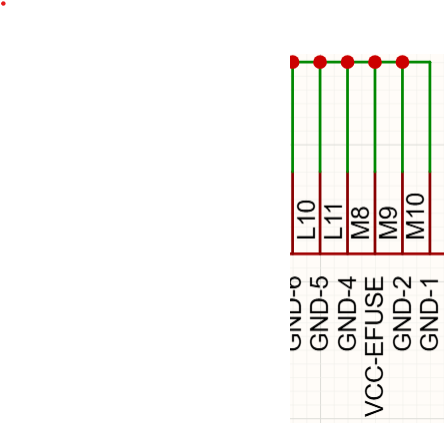
#44 Re: 全志 SOC » 我也来试一试编译 A33 android sdk,编译环境Ubuntu18.04,make版本v4.1 » 2026-03-14 20:25:58
cube wrote:
test0001 wrote:
大佬sdk哪里下载的
链接: https://pan.baidu.com/s/1wWYHReHEUaYoES_EBDrE6Q
提取码:waku
--来自百度网盘超级会员V1的分享
大佬,失效了,能再发一遍吗,谢谢
#45 Re: 工业芯 匠芯创 » 求助 D133 LVGL报错lv_aic_player.h: No such file or directory » 2026-03-07 23:11:04
AICxia wrote:
你可以使用最新的SDK版本再试试
你好,能告诉我一下怎么升级吗,我用的不是官方sdk,是衡山派的固件,git clone --depth=1 https://gitee.com/lcsc/luban-lite.git这个,直接拉lubanlite主线吗
页次: 1
- 首页
- » 搜索
- » QL2017 发表的帖子
东莞哇酷科技有限公司开发